

Prerequisites
- Setup a project in Node.js
- Ensure TypeScript is installed
- Create a Trigger.dev account
- Create a new Trigger.dev project
Initial setup
1
Run the CLI init command
The easiest way to get started is to use the CLI. It will add Trigger.dev to your existing project, create a It will do a few things:
/trigger folder and give you an example task.Run this command in the root of your project to get started:- Log you into the CLI if you’re not already logged in.
- Create a
trigger.config.tsfile in the root of your project. - Ask where you’d like to create the
/triggerdirectory. - Create the
/triggerdirectory with an example task,/trigger/example.[ts/js].
2
Run the CLI dev command
The CLI
dev command runs a server for your tasks. It watches for changes in your /trigger directory and communicates with the Trigger.dev platform to register your tasks, perform runs, and send data back and forth.It can also update your @trigger.dev/* packages to prevent version mismatches and failed deploys. You will always be prompted first.3
Perform a test run using the dashboard
The CLI 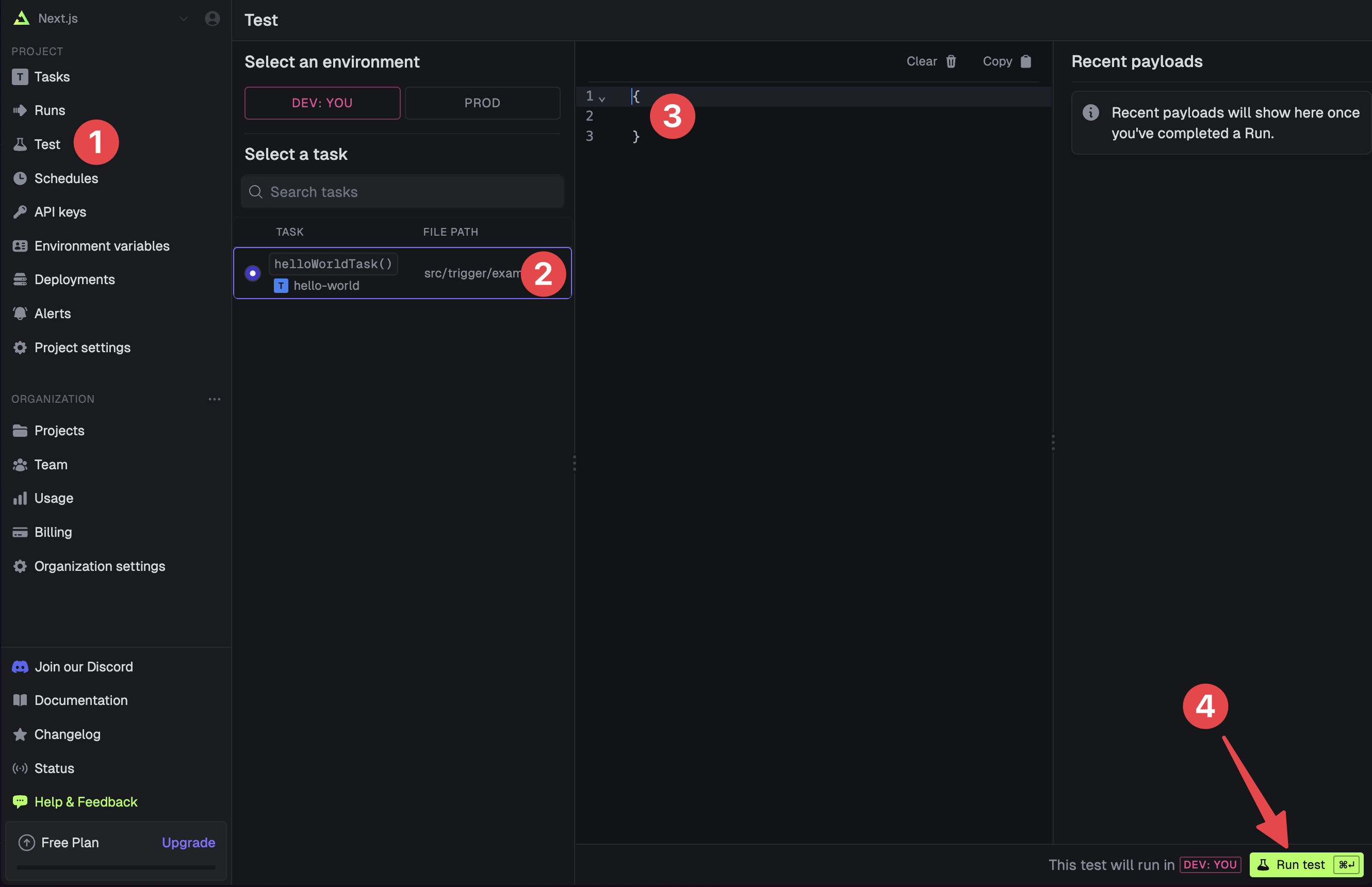
dev command spits out various useful URLs. Right now we want to visit the Test page .You should see our Example task in the list , select it. Most tasks have a “payload” which you enter in the JSON editor , but our example task doesn’t need any input.Press the “Run test” button .4
View your run
Congratulations, you should see the run page which will live reload showing you the current state of the run.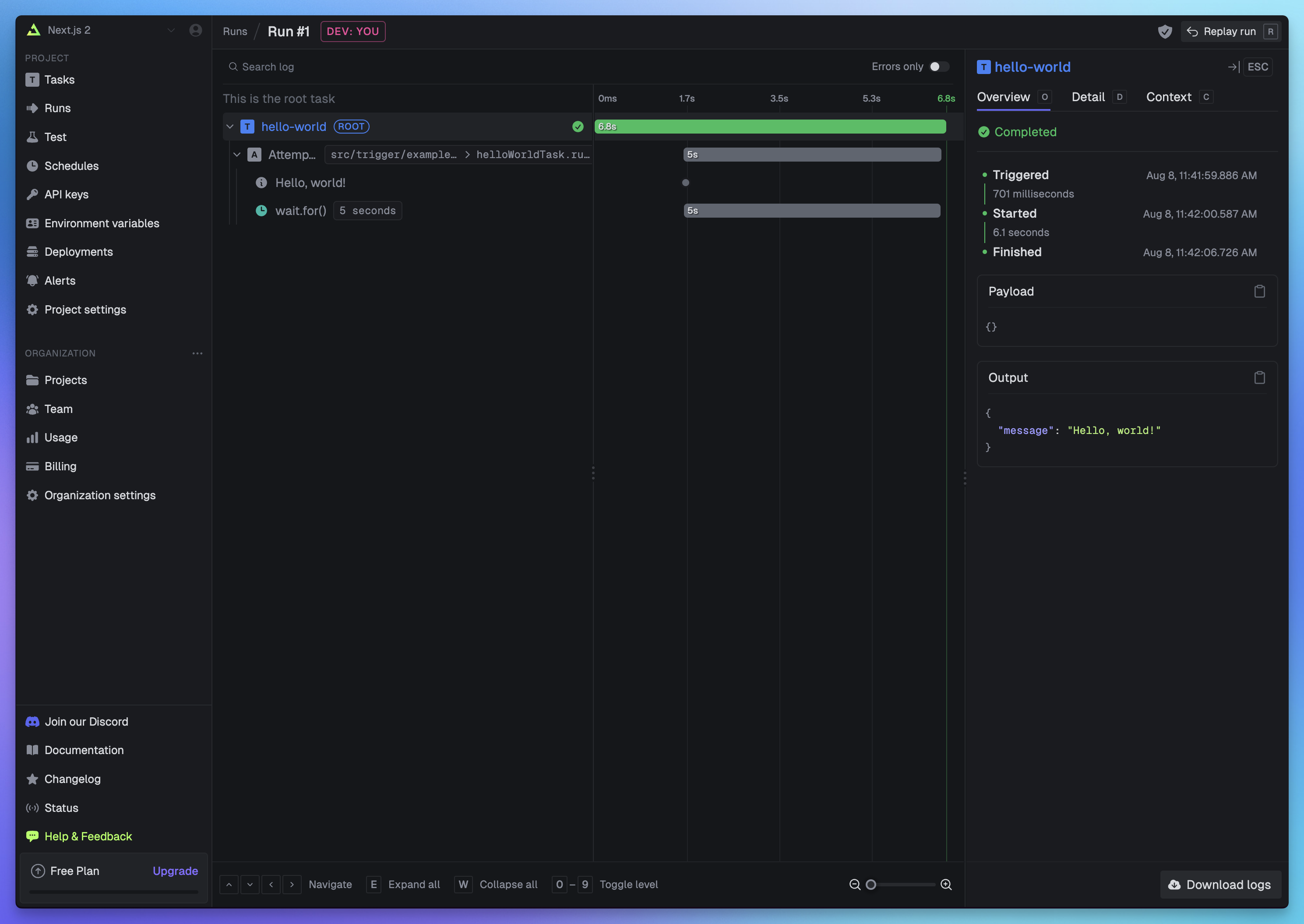 If you go back to your terminal you’ll see that the dev command also shows the task status and links to the run log.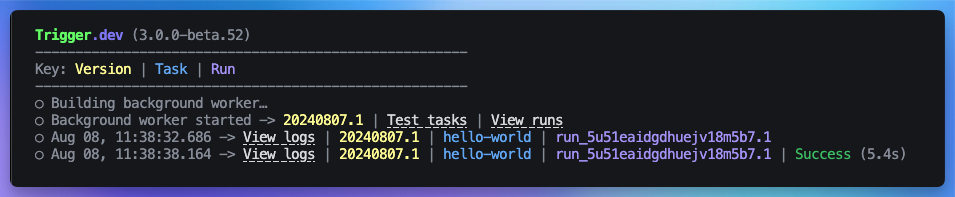
If you go back to your terminal you’ll see that the dev command also shows the task status and links to the run log.Useful next steps
Tasks overview
Learn what tasks are and their options
Writing tasks
Learn how to write your own tasks
Deploy using the CLI
Learn how to deploy your task manually using the CLI
Deploy using GitHub actions
Learn how to deploy your task using GitHub actions